By Dylan Jones, Operations Manager at Profitable Media. Dylan writes about the operator’s view of the stack: choosing platforms, what they cost at scale, what breaks in a migration, and when to stop paying for one.
Key Takeaways
- Stan Store is a link-in-bio storefront for digital products, courses, memberships and bookings, priced at $29 or $99 a month. It sells hard to an audience you already have.
- If you plan to run Meta or TikTok ads, budget for Creator Pro at $99 from day one. Pixel tracking is not available on the $29 Creator plan, so the cheaper plan cannot report on a single ad you buy.
- The platform fee is not your real cost. Payment processing is. Stan takes nothing per sale. Stripe takes 2.9% plus 30 cents on domestic US cards, which on $30,000 a month at a $100 average order is roughly $960.
- Order bumps and upsells are a Creator Pro feature, and they usually pay for the upgrade. The plans are $70 apart, so if a bump adds $10 to your average order, seven extra bump sales a month covers the difference.
- Every pixel Stan supports fires in the visitor’s browser, and Stan offers no server-side option. Once you are spending real money on ads, expect Meta, Stan and your bank to report three different numbers.
- Expect two to seven business days between a sale and cash in your account, because Stripe settles the transaction before Stan can release it.
What Stan Store is
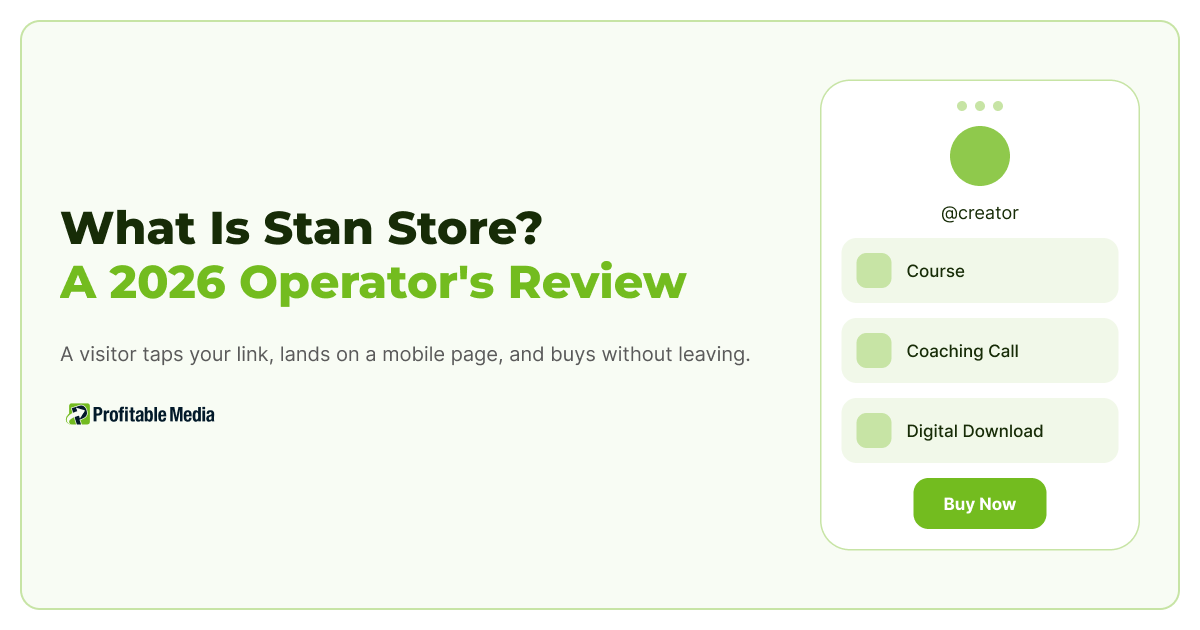
Stan Store is a storefront built to live in a social media bio. A visitor taps your link, lands on a mobile page, and buys without leaving. It sells digital products, courses, memberships and bookings from one page.
Stan’s Creator plan includes:
- Unlimited digital products and customers
- Mobile and desktop storefront
- Calendar booking
- Course builder
- Memberships
- Community features
- Analytics
- AutoDM
Two plans exist. Creator is $29 a month, or $300 a year, which Stan lists as a $48 saving. Creator Pro is $99 a month, or $948 a year, a $240 saving.

Creator Pro isn’t a “more of everything” upgrade. It adds a specific set of features: discount codes, limited quantity offers, upsells and order bumps, payment plans, affiliate management, contact importing, email broadcasts, and pixel tracking.

Every item on that list increases revenue per customer. None of it helps you find customers. Stan has priced the two plans around a single question: are you selling to an audience, or are you buying one?
What Stan Store does well
It removes the gap between post and purchase. A creator posts, a viewer taps, and the offer is more accessible than ever. No landing page build, no funnel software, and no developer required. For those building on short-form video, that’s most of the job done.
It does not tax your revenue. Stan charges zero transaction fees and says you keep 100% of what you earn. You still pay the standard Stripe or PayPal fee, because someone has to move the money, but Stan takes nothing on top.
The $29 plan is not a crippled trial. Unlimited products and customers on an entry tier is rare. Most platforms cap products to force an upgrade. Stan caps features instead, which is the more honest version of the same model.
Why the plan choice changes once you buy ads
Pixel tracking on Stan is a Creator Pro feature. Stan’s help documentation is direct about it: the ability to add a Google Analytics ID, a Meta Pixel ID, a TikTok Pixel ID or a Pinterest tag is “only available on the Creator Pro plan.”
While you can still run ads on the $29 plan, you cannot measure them. Meta will show you clicks, Stan will show you sales, and nothing connects the two. If you are buying traffic, the decision between plans has already been made for you.
Upgrading solves less than it looks like it does. Google Analytics, Meta Pixel, TikTok Pixel, and Pinterest tags are all browser pixels. A browser pixel fires in the visitor’s browser, which means it is subject to everything that happens in a browser: ad blockers, tracking prevention in Safari and Firefox, and a visitor who declines consent. Server side tracking exists to route around that, and Stan does not offer it.

So your numbers will disagree. Meta reports one purchase count, Stan reports another, your bank reports a third. At $2,000 a month in ad spend you can live with that. At $40,000 a month the gap is the budget you are misallocating, because the ad platform optimizes toward whatever data reaches it.
Stan connects out through Zapier, alongside native Google Calendar and Zoom, with email platforms such as Flodesk, AWeber and Mailchimp reached through Zapier. That is fine for moving a customer record into an email list. It is a thin pipe for rebuilding reporting somewhere you control.
The call usually comes after a good month. A creator wants to spend more, looks at three numbers that disagree, and cannot work out which one to spend against. The fix is not a different storefront. It’s a server-side connection. Conversions get reported from your server, not the visitor’s browser. It’s also the one place where Stan, Stripe, and the ad platforms all reconcile against what actually hits your bank. It costs a fraction of replatforming, and it leaves the store your audience already knows how to buy from. We build that reconciliation layer as a custom integration, and we have written separately about why the three numbers disagree in the first place.
What Stan Store really costs at $30,000 a month
Stan’s $99 tier looks expensive next to $29 until you put it against revenue.
Take a creator doing $30,000 a month at a $100 average order. Those figures are an example, not a Stan benchmark, but the shape holds at any size. That is about 300 transactions. Stripe’s standard US rate of 2.9% plus 30 cents per successful domestic card transaction comes to about $960 a month. Creator Pro at $99 is roughly 0.33% of the same revenue.

Your platform is not the expensive part of your stack. Processing is, and it scales with you.
Now run the upgrade on its own terms. The plans are $70 apart, and order bumps only exist on Pro. If a bump adds $10 to your average order, seven extra bump sales a month covers the upgrade. On 300 orders that is a 2.3% take rate. Most offers beat 2.3% on a well built bump.
Who Stan Store is for, and who it is not
Perfect fit
- You sell digital products, coaching or a community to an audience you already have.
- Your traffic is short form video and checkout needs to be one tap away.
- You want one subscription instead of a page builder, a course host and a checkout tool.
- You spend little or nothing on paid acquisition. Our own rule of thumb is that browser pixels hold up until somewhere around $5,000 a month in spend, and start costing you real money above it.
Not a good fit
- You spend heavily on paid acquisition. Browser pixels alone underreport, there is no server side option to correct it, and the gap widens with every dollar you add. This is the one that costs real money.
- You sell physical products. Stan is a digital product tool.
- You need your store talking directly to a CRM or a warehouse. Zapier moves records. It is not a data pipeline.
- You need same day settlement. Funds take about two business days, and up to seven by location, because Stripe settles first.
- Stan is built around a single creator identity, so one storefront cannot serve several brands.
Do this before you upgrade anything
You do not need an agency for this. It takes about twenty minutes.
- Pull your Stan revenue for the last 30 days.
- Pull Stripe’s gross volume for the same 30 days.
- Pull the purchase value your ad platform reports for the same 30 days.
- Put the three numbers in one row and look at the spread.
Stan and Stripe should be close, and the difference should be explained by refunds and timing. The third number is the one to watch. When we see an ad platform reporting more than roughly a tenth below Stripe, that gap is what the client has been optimizing against without knowing it. Every budget decision is being made on the low number.
Do this monthly. It is the cheapest reporting habit in the business, and it tells you when you have outgrown browser based tracking long before your accountant does.
The rule: pick the plan for how you get traffic, not for what you sell
Stan Store is a well built tool with honest pricing, and the entry plan is usable rather than a trap. The choice between $29 and $99 is not about features. It is about whether anyone is being paid to send you visitors.
If nobody is, start at $29 and stay until a Pro feature earns its own upgrade. If somebody is, you were always on Pro, and your next problem is not the storefront. It is making the numbers agree.
Stan will not build you a reporting layer, and you do not need to leave Stan to get one. Send us your last three months of Stan, Stripe and Meta numbers and we will show you which of the three is lying to you.
Frequently Asked Questions
Is Stan Store free?
No. Stan Store has no permanently free plan. Pricing starts at $29 a month for the Creator plan, or $300 a year. The Creator Pro plan is $99 a month, or $948 a year. Stan does not charge a transaction fee on top of the subscription, so what you pay is the plan plus your payment processor’s fee.
Is Stan Store legit?
Yes. It is an established storefront platform that processes payments through Stripe and PayPal rather than holding your money itself. Payouts run on Stripe’s settlement schedule, which is typically about two business days and up to seven depending on your location.
Is Stan Store worth it?
For creators selling to an audience they already have, yes. The $29 plan is usable rather than a trial, with unlimited products and customers, and Stan takes no cut of your sales. If you buy traffic, you are on the $99 Creator Pro plan by default, because pixel tracking is not available on the cheaper tier and you cannot measure ads without it.
What does Stan Store not do?
It does not offer server side conversion tracking, so everything it reports depends on a pixel firing in the visitor’s browser. It also does not connect directly to a CRM or a data warehouse. Integrations run through Zapier, alongside native Google Calendar and Zoom connections. It is built for digital products rather than physical inventory.
How long does it take to get paid with Stan Store?
Funds typically become available for cash out in about two business days, and up to seven depending on where you are located. The delay is Stripe settling and screening the transaction, not Stan holding your money. Stripe’s own fraud checks are what set that window.
Should I move off Stan Store as I scale?
Usually not for the reason people assume. The storefront is rarely the bottleneck. Reporting is. Before replatforming, check whether the actual problem is that your sales data never reaches your ad platform accurately, because that is cheaper to fix than a migration and it does not ask your audience to learn a new checkout.
Author
Dylan Jones is Operations Manager at Profitable Media, where he works on the operator’s view of the marketing stack: choosing platforms, what they cost at scale, what breaks in a migration, and when to stop paying for one. Profitable Media has built and managed marketing technology for direct response and creator businesses since 2009. Dylan on LinkedIn.
Sources
- Stan, “Stan Store Pricing 2026: Plans, Costs & Free Trial”, Stan Blog. Plan names, prices and the feature split between Creator and Creator Pro.
- Stan, “How Do I Add Pixel IDs for Analytics?”, Stan Store Help Center. Confirms pixel tracking is Creator Pro only, and lists the four supported pixels.
- Stan, “Why is My Account Balance Available Soon?”, Stan Store Help Center. Settlement timing of two to seven business days.
- Stan, “Integrations”, Stan Store Help Center. Zapier, Google Calendar and Zoom, with email platforms reached through Zapier.
- Stripe, “Pricing”, Stripe. Standard US rate of 2.9% plus 30 cents per successful domestic card transaction.
Prices, plan limits and processing rates checked August 2026.