By Zach Warshawsky, Chief Operating Officer at Profitable Media. Zach writes about measurement infrastructure: GA4, tag management, server side tracking, attribution and the data pipelines underneath them.
Key Takeaways
- MemberMouse is a WordPress plugin, not a hosted platform. It runs on a site you own, which means the member and order data sits in your own database rather than someone else’s.
- The advertised price is first-year pricing and it roughly doubles at renewal. Basic is $149.50 then $299, Plus is $249.50 then $499, Pro is $349.50 then $699. Budget the renewal number, not the sticker.
- Your payment processor decides your plan, not your member count. Stripe is on Basic, PayPal and Braintree need Plus, and Authorize.Net and ClickBank need Pro.
- No tier caps your members. Unlike other hosted membership platforms, MemberMouse doesn’t price per member
- It ships a real API and event notifications that can call your own script. That is the reason to pick it over a hosted tool, and the reason it needs someone technical.
- Billing is annual only. There is no monthly plan, so the smallest commitment is a full year.
What MemberMouse is
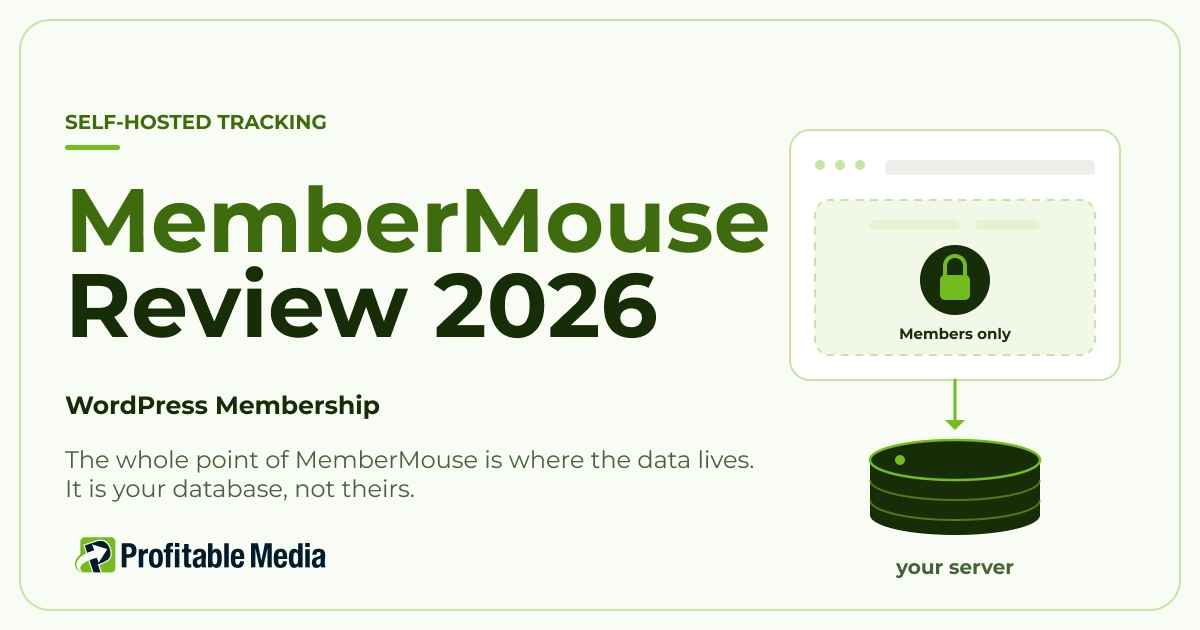
MemberMouse is a WordPress plugin that turns a site you already own into a membership business. It handles checkout, member accounts, content protection, drip scheduling, courses, bundles and affiliate tracking, all inside your own WordPress install.
Hosted platforms run your membership on their infrastructure and give you a dashboard. MemberMouse runs it on yours. Your members, your orders and your subscription records sit in a database you control.
They offer three annual plans to choose from. Basic is $149.50 for the first year, Plus is $249.50, and Pro is $349.50.
Then read the line underneath the prices on MemberMouse’s own pricing page: “Special introductory pricing, all annual renewals are at full price.” Full price is $299, $499 and $699. The cost roughly doubles in year two.

That renewal number is the single most useful thing to know before you buy. Plenty of buyers compare the $149.50 against a competitor’s ongoing price and get the comparison wrong by half.
What each tier holds back
Most membership tools gate by member count. MemberMouse does not. No plan caps how many members you have, which means a site with 50 members and a site with 50,000 pay the same.
What it gates instead is payment processing and reporting.
Basic
Includes:
- Stripe
- The course builder
- Content protection
- Drip scheduling
- Coupons
- Gifting
- One-click purchases and upsells
- Seven email integrations (including ConvertKit, Zapier, Drip and ActiveCampaign)
- Developer tools
- Standard analytics
Plus
Includes everything from basic, plus:
- PayPal and Braintree as payment options
- Social signup and login
- Quizzes
- Certificates
Pro
Includes everything from Basic and Plus, and adds:
- Authorize.Net and ClickBank
- Billing date management
- The full analytics suite
- Advanced affiliate settings
- Employee access control
- Priority support

Read that as a buying rule. If you take payments through PayPal, your floor is Plus. If you are on Authorize.Net or you sell through ClickBank, your floor is Pro. Decide the processor first and then pick the plan that best aligns.
The reporting split matters just as much but gets noticed later. Standard analytics on Basic and Plus tells you what happened. The full suite on Pro is where the retention and revenue detail lives, which is what a growing membership needs.
Why an agency likes this one
MemberMouse ships an API with six calls: createMember, updateMember, getMember, purchaseBundle, addBundle and removeBundle. It also ships push notifications, which MemberMouse describes as a way to “send external emails or internal notifications based on member events, trigger Zaps or call a custom script.”
That phrase, call a custom script, is the one that matters. It means a signup, a purchase, a rebill or a cancellation can fire an event at a URL you control, in real time, from your server.

Put that next to a hosted storefront and the difference is stark. On most hosted tools you get a browser pixel and nothing else, so your reported conversions drift further from reality the more you spend on ads. With MemberMouse the sale is already recorded on your own server, and a push notification can hand it straight to a conversion endpoint without ever touching the visitor’s browser.
Almost every MemberMouse site we open has the push notification screen untouched. The hook is sitting right there, and nothing is listening to it. The build is a script that receives those push notifications, sends server side conversions to the ad platforms, and reconciles MemberMouse orders against the payment processor and the bank in one place. That is a custom integration rather than a plugin setting, and it is the difference between having your data and using it. We have written separately about why the numbers disagree in the first place.
What owning the install costs you
Self-hosting costs you the hosting, the updates, the backups and the security.
You are responsible for the hosting, and a membership site is heavier than a blog because logged-in members cannot be served from cache the way anonymous visitors can. You are also responsible for WordPress updates, plugin conflicts, backups and security; and a site holding payment records and member accounts is a real target.
You also need someone technical within reach. Not full-time, and not for the setup, which is plugin-level work. But self-hosting only pays off if you need something a hosted platform won’t give you, like a custom API integration or push notifications. Those have to be built by hand, and hand-built code doesn’t maintain itself. If you’d rather hand the build to a team, our MemberMouse expert developers handle setup, migrations, and custom work.
If nobody on your team can answer “who maintains this WordPress install”, the honest answer is that a hosted platform will serve you better, even with the data limitations that come with it.
No developer on your team?
The API is only worth it if someone builds on it
We’re an official MemberMouse partner and we run dozens of high-volume MemberMouse memberships. We handle what this review keeps warning you about: the WordPress upkeep, the custom integrations, and the push notifications nobody has wired up yet.
Perfect fit
- You already run WordPress and you want the membership inside the site you own.
- You need your member and order data in a database you can query.
- Your member count is growing fast and you do not want pricing that scales with it.
- You have a developer, an agency or a technical operator available.
- You are on Stripe, or you know which processor you need and can pick the tier for it.
Not a good fit
- Nobody maintains your WordPress install. The plugin is fine. The site around it, the updates, the backups and the security patching, is your job, and a site holding payment records is a real target.
- You want to launch this week with no technical help. A hosted platform gets you to a first sale faster.
- MemberMouse is annual only, so the smallest commitment you can make is a year.
- You budgeted on the advertised price. Year two is roughly double, and that has ended more than one membership’s margin.
- You want the API but have nobody to write against it. Unused, it does not justify the trade.
Do this before you buy
Two quick checks that help you decide on the best plan:
- Name your payment processor. Stripe puts you on Basic. PayPal or Braintree puts you on Plus. Authorize.Net or ClickBank puts you on Pro. This single answer sets your floor, so settle it before comparing anything else.
- Write down the year-two price, not the year-one price, and compare that against the alternatives you are weighing. $299, $499 or $699 depending on tier.
Then one question for whoever maintains your site: if a member purchase needed to call an external script the moment it happened, could you set that up? If the answer is yes, MemberMouse is worth more to you than its feature list suggests. If it’s a no, you are buying a capability you will not use.
The rule: buy MemberMouse for the database, not the feature list
On features alone, MemberMouse looks like every other membership tool. Checkout, content protection, drip, courses, affiliates. You can get all of that hosted, and faster, with nothing to maintain.
The reason to choose it is where the data ends up. Your members, your orders, and your subscription events live in a database you control, with an API to read them and a notification system that can push them anywhere the moment they happen. That is a genuine advantage, and it is worth precisely nothing until someone uses it.
You already own the data. The question is whether anything is reading it. Show us your MemberMouse install and we will tell you what a week of engineering would let you see that you cannot see today.
Frequently Asked Questions
How much does MemberMouse cost?
MemberMouse is billed annually in three tiers. Basic is $149.50 for the first year, Plus is $249.50 and Pro is $349.50. Those are introductory prices. MemberMouse states that all annual renewals are at full price, which is $299, $499 and $699 respectively. There is no monthly plan and no member limit on any tier.
Is MemberMouse better than MemberPress?
They solve the same problem differently, and the honest answer depends on your stack. MemberMouse gates payment processors by tier and ships an API plus push notifications that can call your own script, which suits teams with technical help. If you have no developer available and want the simplest path to a working membership, weigh that against MemberMouse’s technical ceiling rather than its feature list.
Does MemberMouse have an API?
Yes. It exposes six calls: createMember, updateMember, getMember, purchaseBundle, addBundle and removeBundle. Separately, push notifications can fire on member events to send emails, trigger a Zap, or call a custom script at a URL you control. That second capability is what makes server side reporting possible.
Do I need a developer to use MemberMouse?
Not to install it or run a basic membership. That is plugin-level work. You do need technical help to maintain the WordPress install underneath it, and you need a developer to use the API or the push notifications, which are the main reasons to choose it over a hosted platform.
Does MemberMouse limit how many members I can have?
No. None of the three tiers caps member count, so a site with 50 members and a site with 50,000 pay the same. What the tiers gate is payment processors and reporting depth, not scale. That pricing model is unusual and it favours memberships that grow quickly.
Is MemberMouse worth it?
It is worth it if you already run WordPress, you want your member and order data in a database you control, and you have someone who can write against the API. If none of those are true, you are paying an annual licence and a maintenance burden for capabilities you will not use, and a hosted membership platform will serve you better.
Author
Zach Warshawsky is Chief Operating Officer at Profitable Media, where he works on measurement infrastructure: GA4, tag management, server side tracking, attribution and the data pipelines underneath them. Profitable Media has built and managed marketing technology for direct response and subscription businesses since 2009. Zach on LinkedIn.
Sources
- MemberMouse, “Pricing”, MemberMouse. Plan names, first-year and full renewal prices, the feature and payment-processor split across Basic, Plus and Pro, and the absence of member limits. Introductory pricing changes, so confirm before quoting.
- MemberMouse, “API Documentation”, MemberMouse. The six available API calls.
- MemberMouse, “Push Notifications”, MemberMouse. Event notifications that send emails, trigger Zaps, or call a custom script.
Prices and plan contents checked August 2026.